How do I show or hide file extensions on a Mac?
(Click here for Windows instructions.)
Mac OS X allows you to show or hide file extensions for individual files or display extensions for all files.
Individual Files
If you want to show or hide an extension for a single file, first open the file's information window. You can do this by selecting the file and clicking "Get Info" from the File menu. Or you may right-click (Control-click) the file and select "Get Info" from the contextual menu that pops up. When the information window opens, it should look something like this:
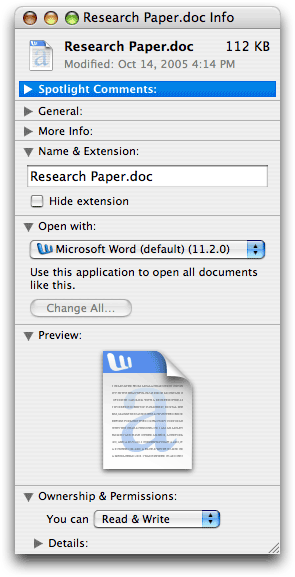
Notice the section towards the top of the window that says "Name & Extension."
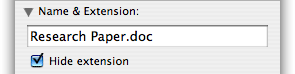
If you would like to hide the file's extension, click the "Hide extension" checkbox. If the file's extension is already hidden and you would like to show it, uncheck the "Hide extension" box.
All Files
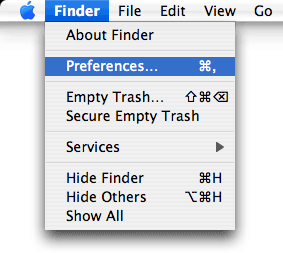
While Mac OS X hides file extensions by default, you can choose to show all file extensions, overriding the "Hide extension" setting in the "Get Info" window. To do this, click on the desktop to activate the Finder if is not already active and select "" from the menu.
Then click on the Advanced tab in the Finder Preferences window as shown below:
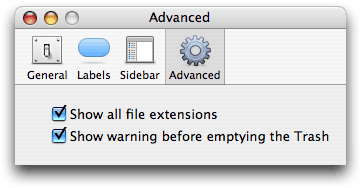
Finally, check the "Show all file extensions" box. All file extensions will now be visible both on the desktop and in open windows. If you want to hide file extensions again, simply open the Finder Preferences window and uncheck the box.